
Say it.
It’s sorted.
voisNTS turns your voice notes into ideas and tasks. Just speak — Apple Intelligence on your device pulls out what matters and organises it for you.
 Free for iPhone and Mac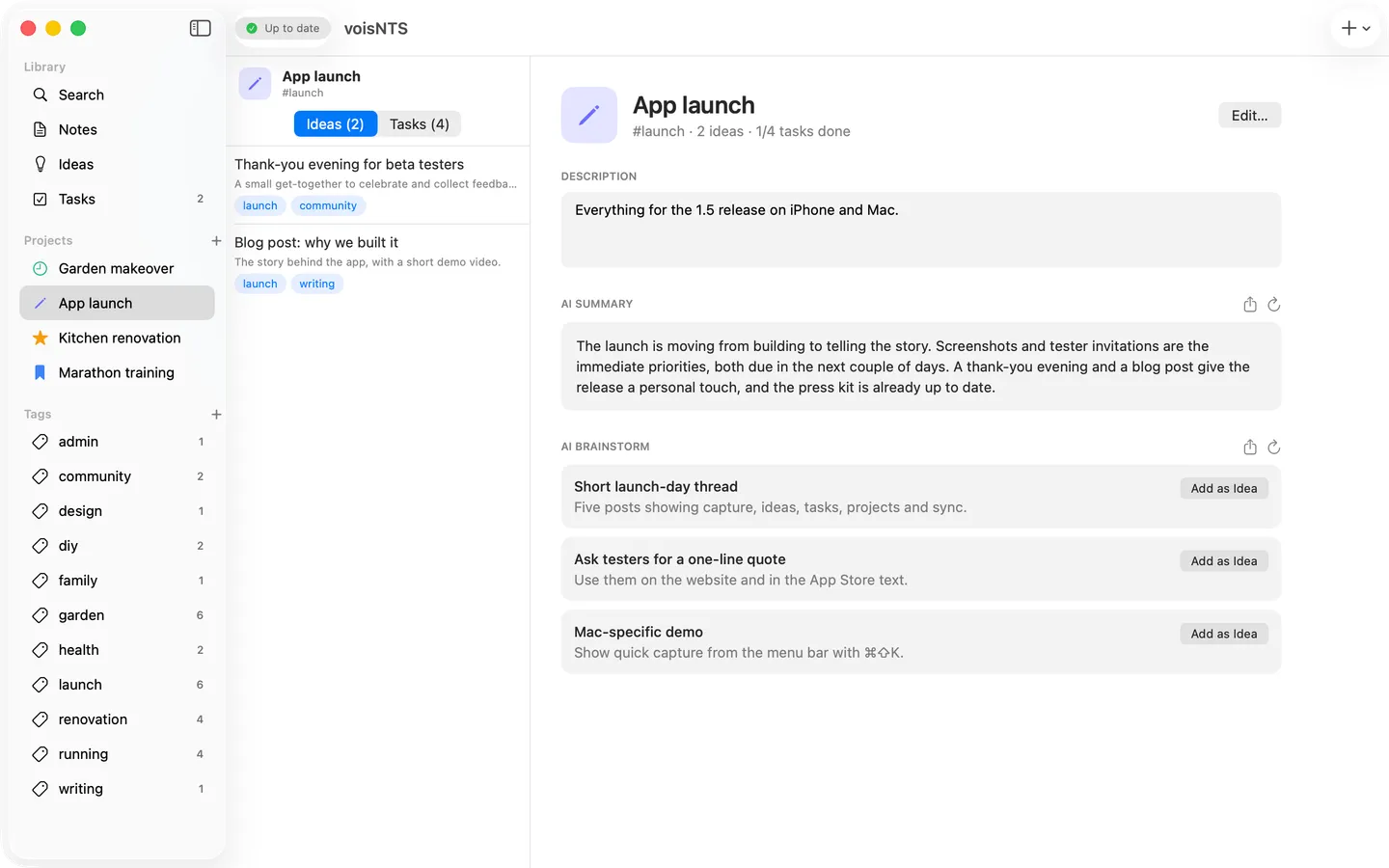
Listening…
For the garden this spring I want a raised bed along the south fence, and a small herb corner by the kitchen door
- 1Speak Say what’s on your mind — no structure needed.
- 2It’s sorted Ideas and tasks come out, tagged and dated.
- 3Find it later In projects, lists and one search box.
Capture
Get it out of your head
Capture in seconds
Tap the mic and speak — in English or Dutch, switch with one tap. Or type.
Coming in 1.6
Widgets and Siri
Tick off tasks on your Home Screen, start a note from a widget or Control Center — or just say “Add a note to voisNTS”, also in the car.
Coming in 1.6
Add to a list from anywhere
Say “add milk and two avocados to groceries” and it lands on the list, not in a note.
Quick capture on the Mac
Press ⌘⇧K in any app to speak or type a note from the menu bar.
Organise
Everything in its place
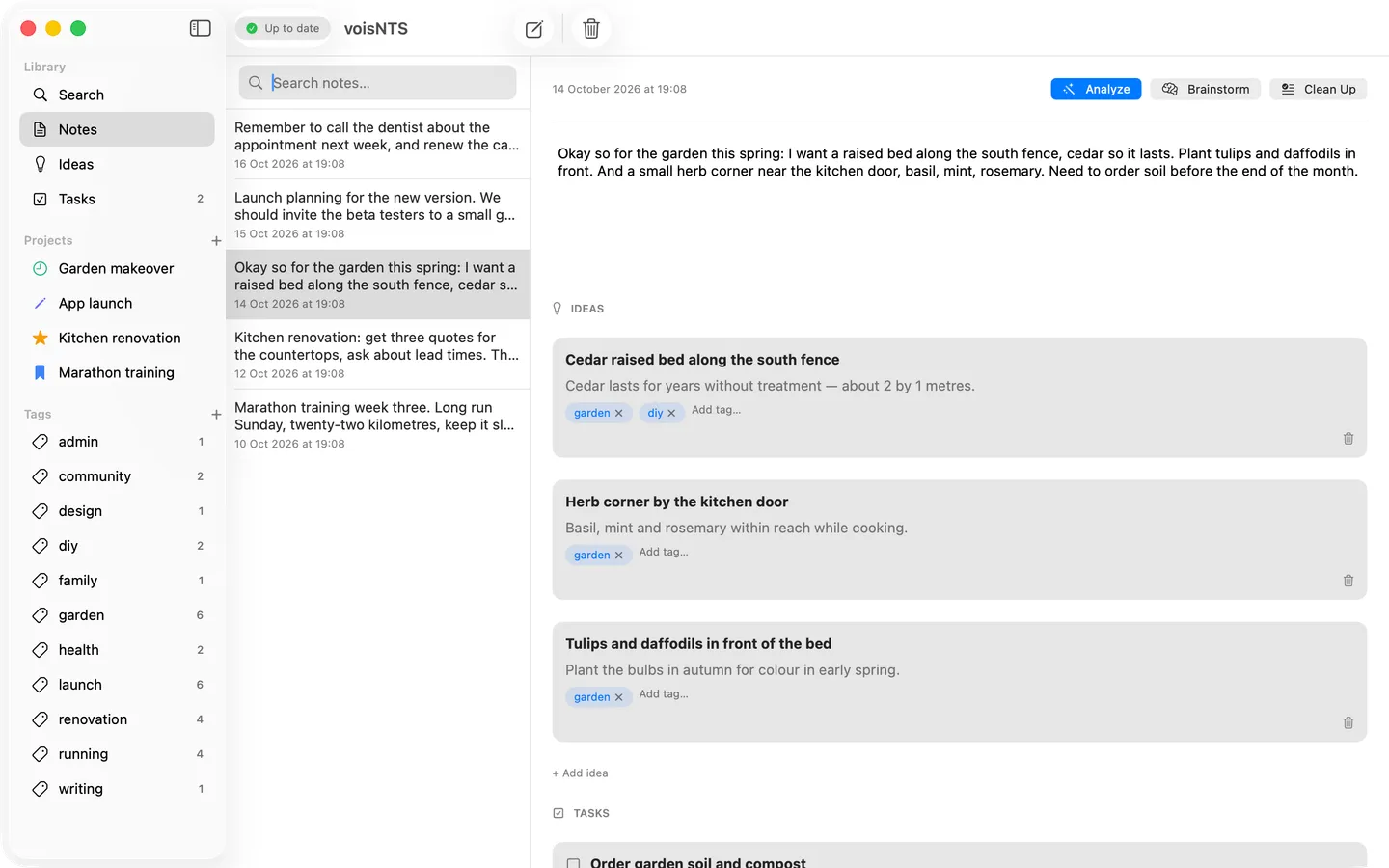
Ideas and tasks, extracted for you
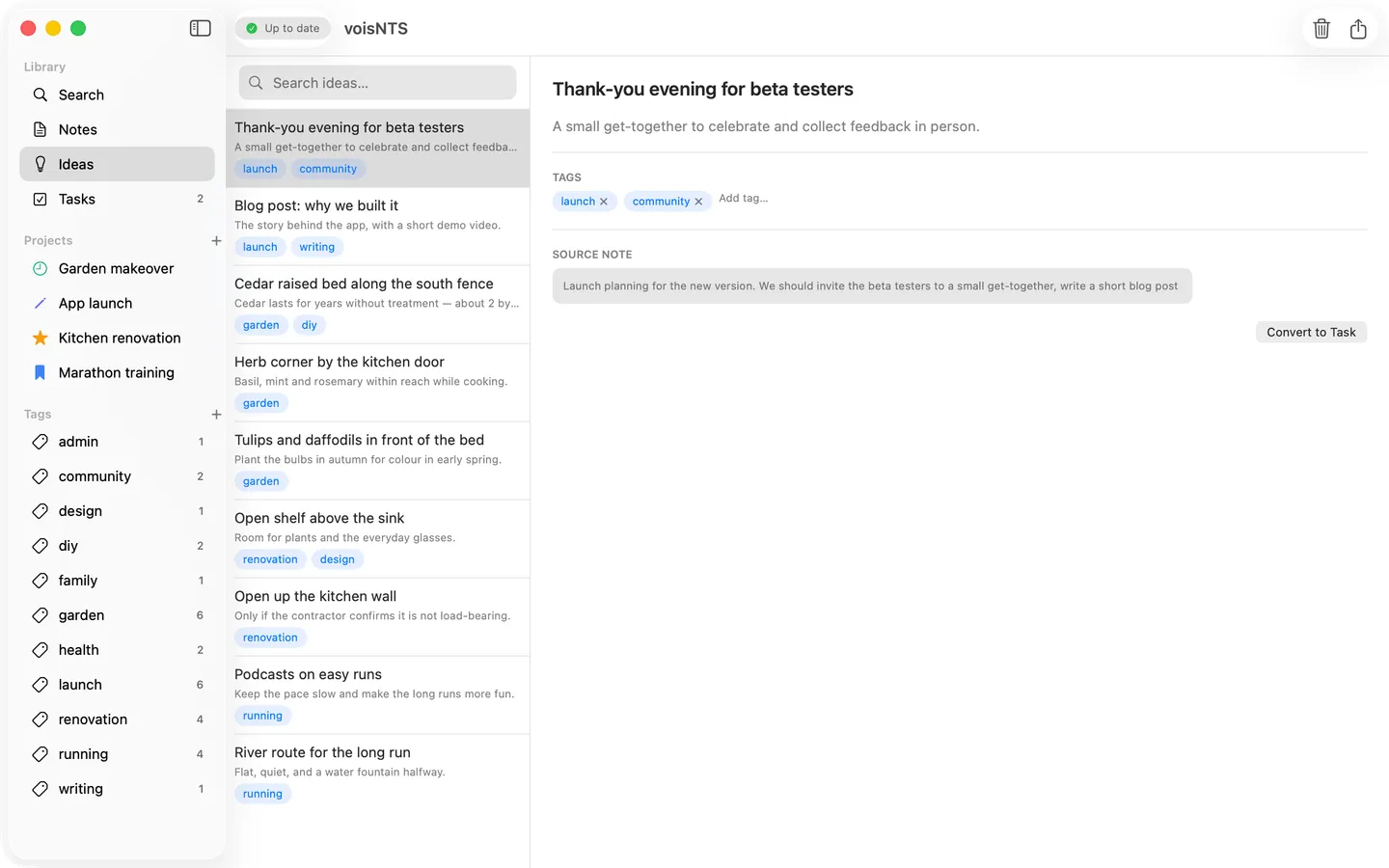
On-device AI suggests the ideas and tasks in your note, already tagged. Keep what you like.
Every project, summarized
Group ideas and tasks by tag, with a short AI summary and fresh ideas to take it further.
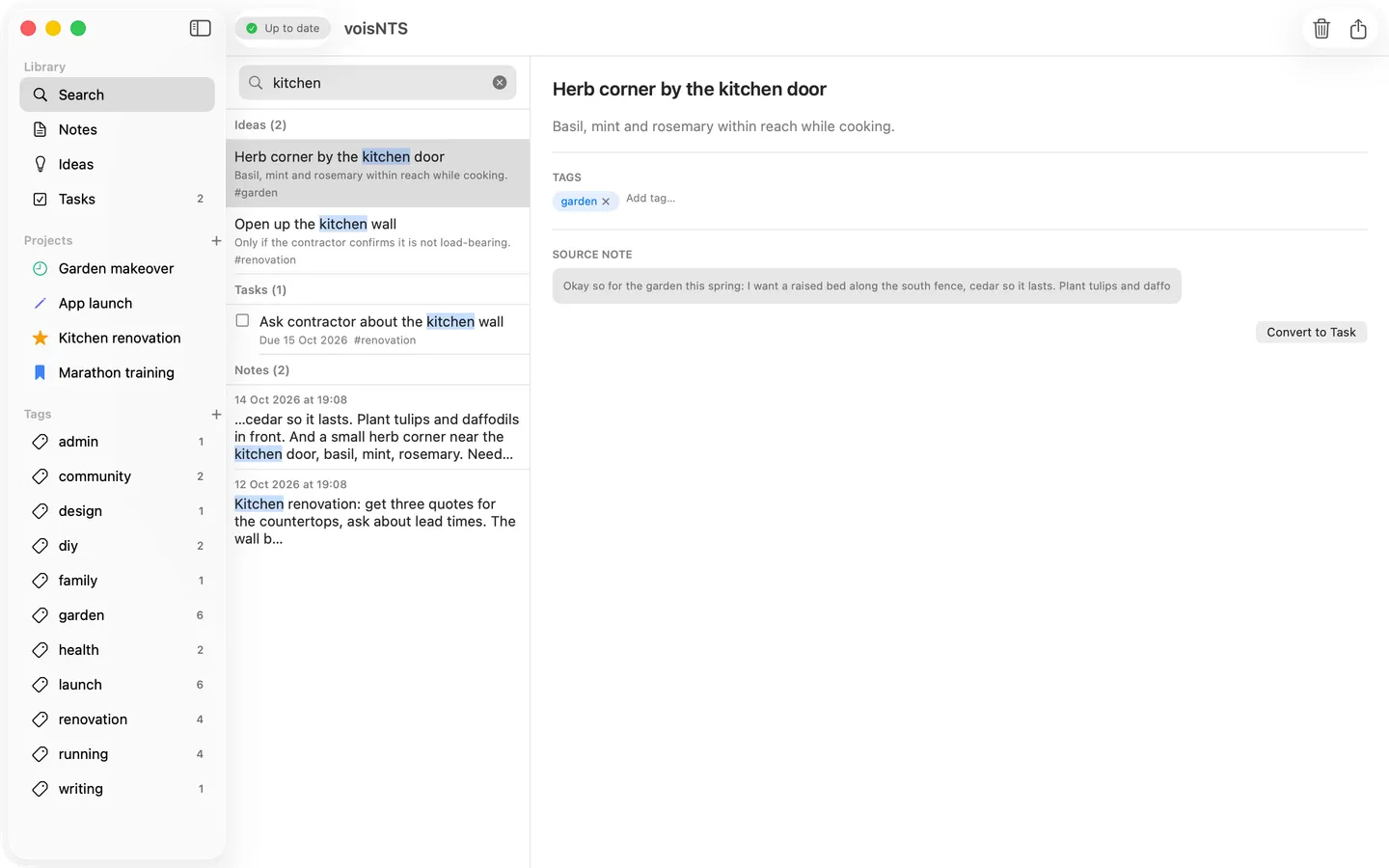
Find anything, instantly
Search every note, idea and task at once — or type #tag to narrow it down.
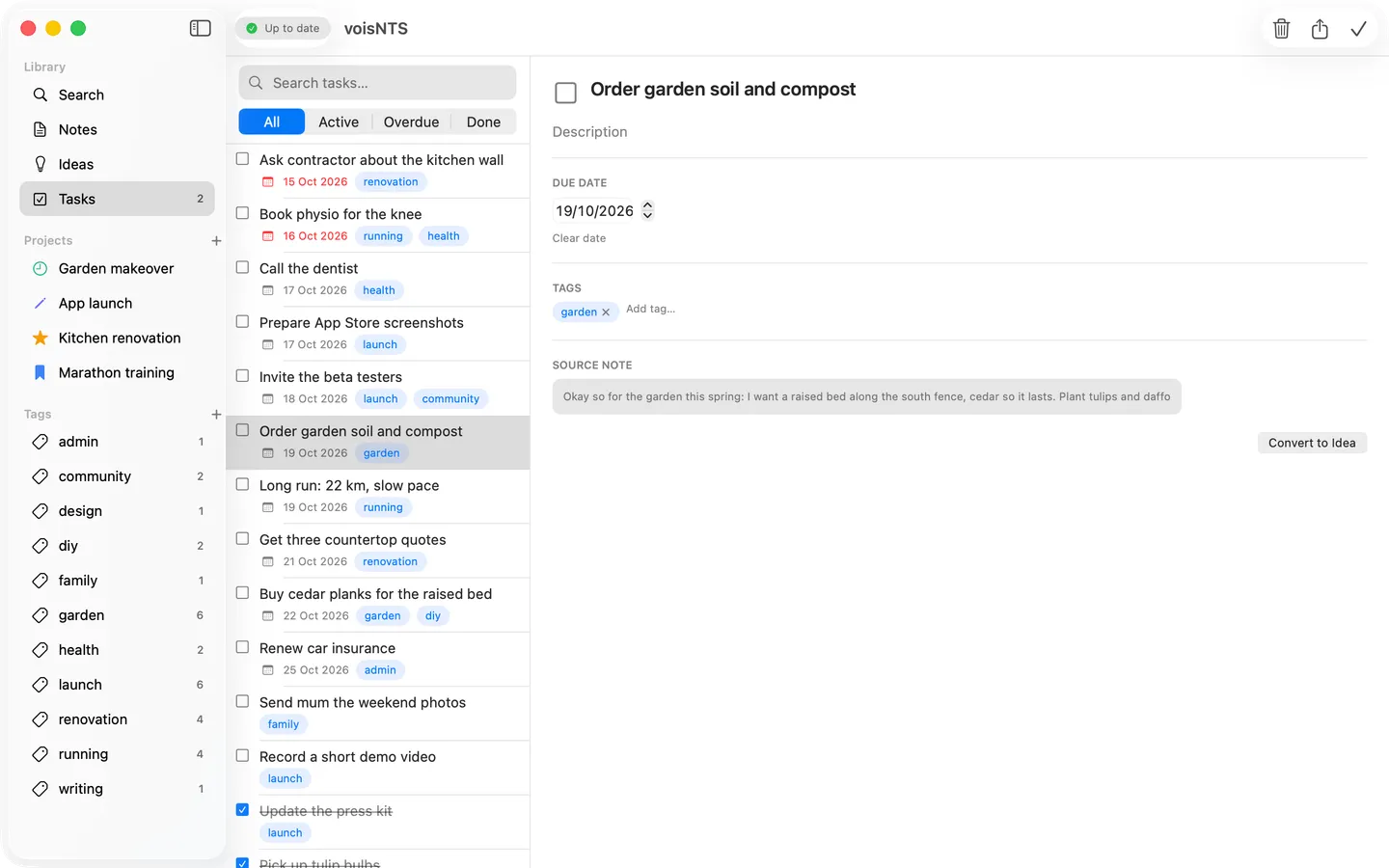
Never miss what’s due
Tasks sorted by urgency, and a daily reminder at the time you choose.
Lists
Lists that sort themselves
Coming in 1.6
Groceries, by aisle
Counts add up, staples are one tap away, and you tick things off in the shop — or from the widget.
Coming in 1.6
Packing, made for your trip
Pick ski, camping, work or beach and the number of nights; the list is ready.
Coming in 1.6
Game night, sorted
A score sheet that adds up for you. Say “Anna 12, Bas 8”, set a target, use the turn timer.
Coming in 1.6
Templates for the rest
Meeting notes, a weekly plan, project kickoffs and wish lists — action items go straight to your tasks.
Write
From notes to posts
Coming in 1.6
Posts and newsletters
Turn a project into a LinkedIn post, a newsletter or a status update — personal, professional or casual.
Coming in 1.6
Your week, in a few lines
An optional Friday reminder to write a weekly review from your notes.
Coming in 1.6
In your language, your call
Written in the language of your notes. You edit and share it yourself — voisNTS never posts anything for you.
iPhone and Mac
Capture on the go.
Organise at your desk.
Your notes, ideas, tasks, lists and projects sync privately through your own iCloud — no account to create.
Privacy
Your notes stay yours
Stored on your device
Everything lives in a local database on your iPhone and Mac, and works fully offline.
Synced through your iCloud
iPhone and Mac stay in sync via your own private iCloud account. There’s no sign-up, no voisNTS account, and no servers of ours — we can’t see your notes.
AI on your device
Ideas, tasks, summaries, brainstorms and drafts are created by Apple Intelligence on your iPhone or Mac.
Speech by Apple
Your voice is turned into text by Apple’s speech recognition, which may use Apple’s servers to do so. voisNTS never stores your recordings.
No tracking
No ads, no analytics in the app, no data sold — ever.
Questions
Frequently asked
Is voisNTS free?
Yes. No account, no ads, no in-app purchases.
Which devices does it run on?
iPhone with iOS 17 or later and Mac with macOS 14 or later. The AI features need Apple Intelligence (iOS 26 / macOS 26 on a supported device); everything else works without it.
Which languages can I speak?
Speak in English or Dutch — switch with one tap on the record screen, and your ideas and tasks come back in the same language. German, Spanish and French are coming. You can type notes in any language.
Does it work offline?
Yes. Your notes are stored on your device; sync catches up when you’re back online.
Will voisNTS post things for me?
No. It writes drafts — a LinkedIn post, a newsletter, a weekly review — that you edit and share yourself. Nothing is ever posted or sent automatically.
Say it. It’s sorted.
Free for iPhone and Mac.